
The café POS with QR ordering, kitchen screen and reports in one
Take orders at the counter or let customers order from their table by QR. The kitchen sees it instantly, payments are tracked, and you know today's sales on your phone.
- No app to install for customers
- Works on phone, tablet & PC
- English · 中文 · Bahasa Melayu
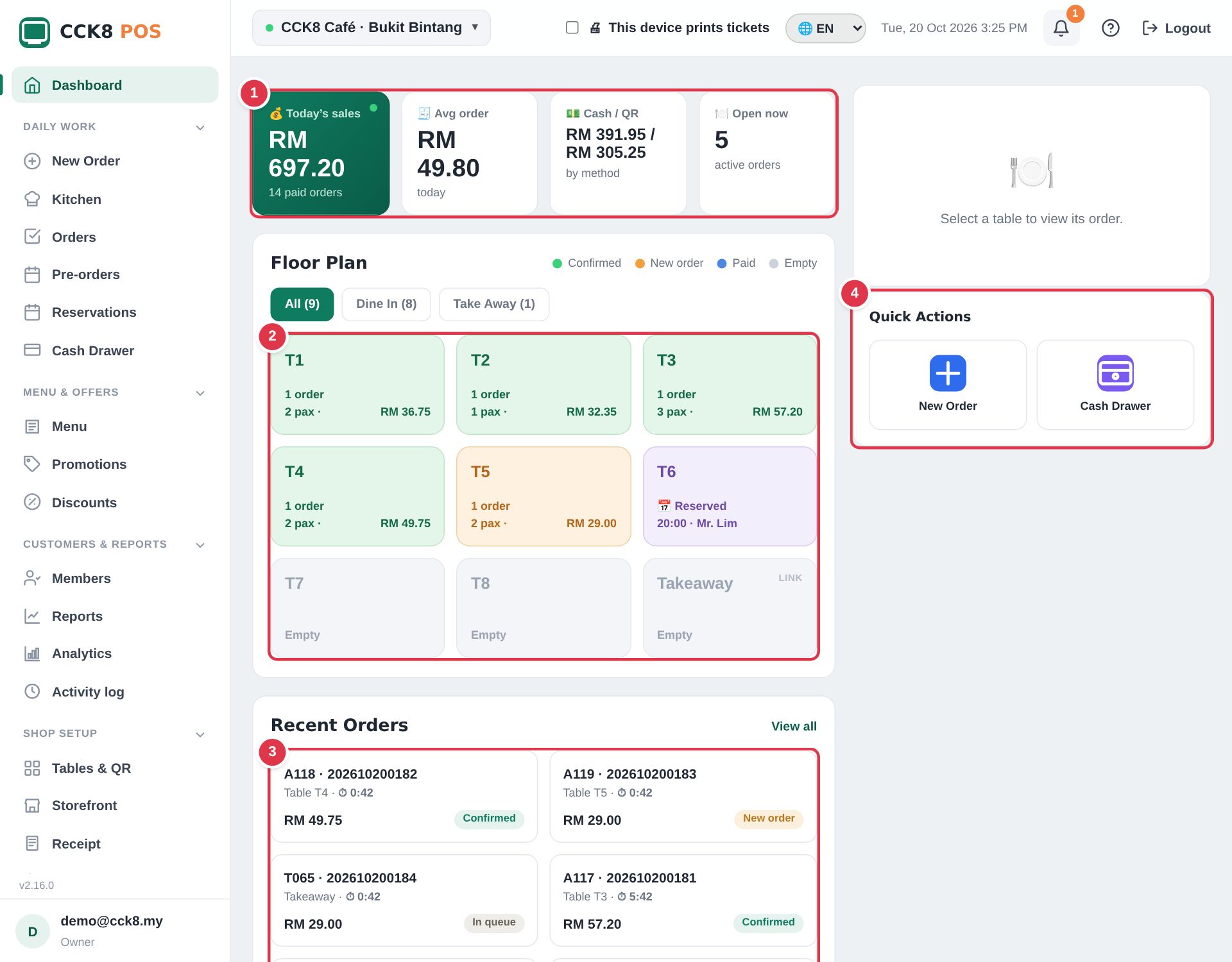
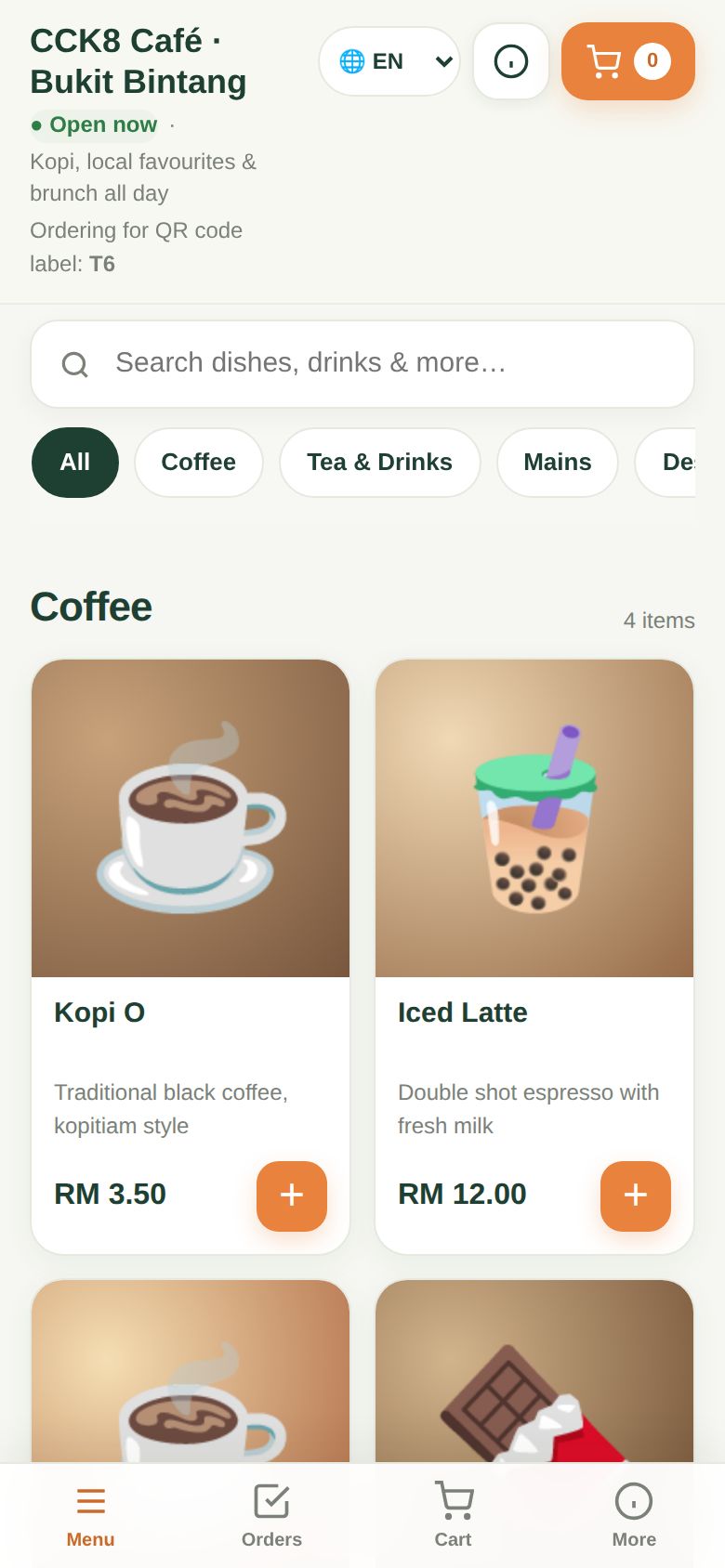
Busy lunch hour? We've been there.
Customers order and pay from the table QR. Your cashier is free to serve.
Every order goes straight to the kitchen screen or printer, with table and queue number.
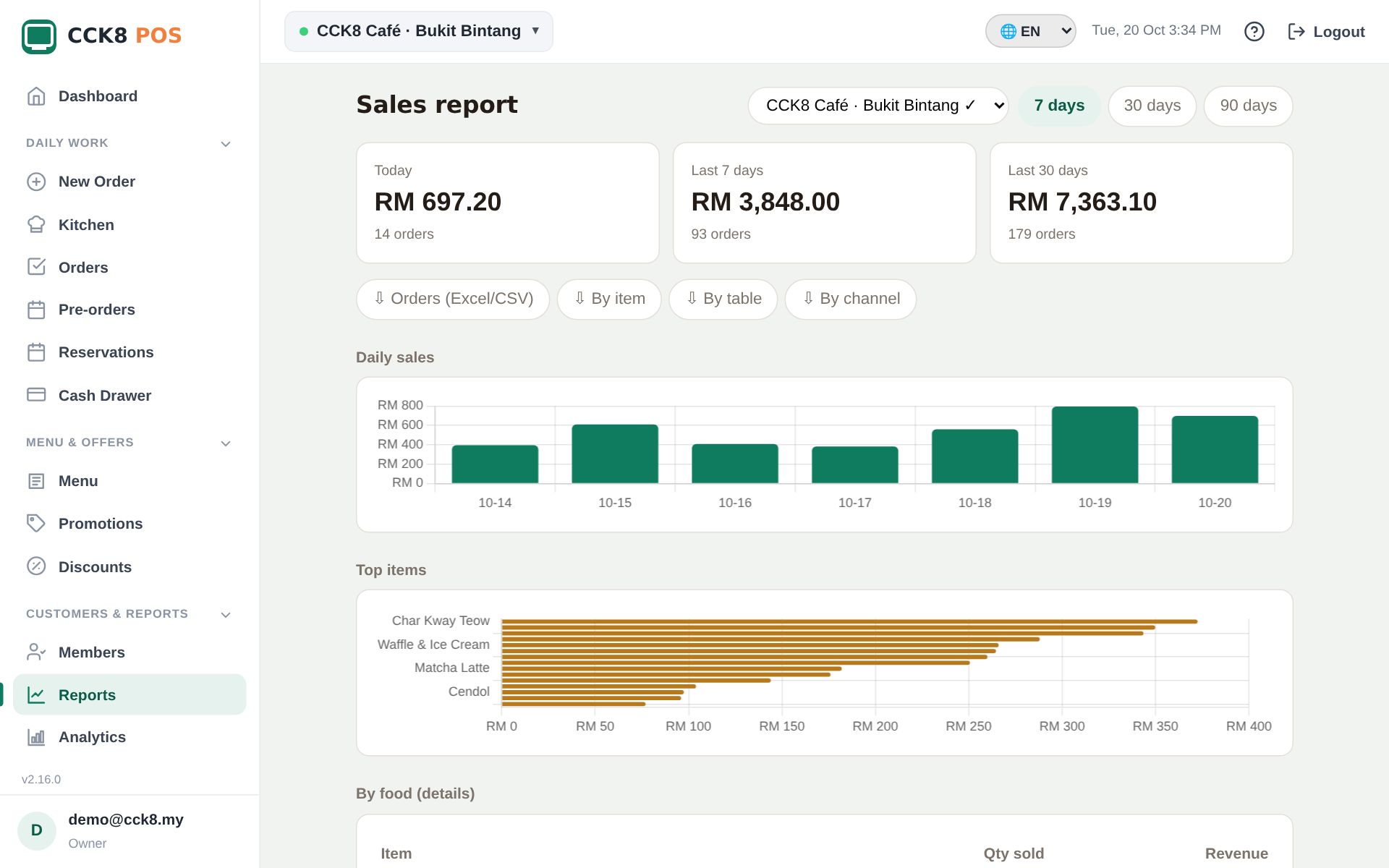
Live sales, best sellers and cash vs QR on your phone, wherever you are.
Everything a café needs, nothing it doesn't
Start with the counter and QR ordering. Switch on more when you grow.
Counter POS
Fast taps, item options (size, sugar, add-ons), set meals, split and merge bills, cash with change.
QR table ordering
Customers scan, see your menu with photos and order. Everyone at the table shares one cart.
Kitchen screen & queue numbers
Tickets per station, Ready alerts on the customer's phone and a Now Serving TV screen.
DuitNow QR & online payment
Show your shop QR, or a DuitNow QR for the exact bill that marks the order paid by itself.
GrabFood & foodpanda
Key in delivery orders with the app's prices. Reports show commission and net.
Members & points
Customers earn and redeem points by phone number. Promotions and vouchers built in.
Reports & accounting export
Daily sales, items, payment mix, busy hours, SST summary. Export to SQL Account / AutoCount.
Several outlets & staff
Staff logins with roles, screen-lock PIN, activity log, and every outlet in one account.
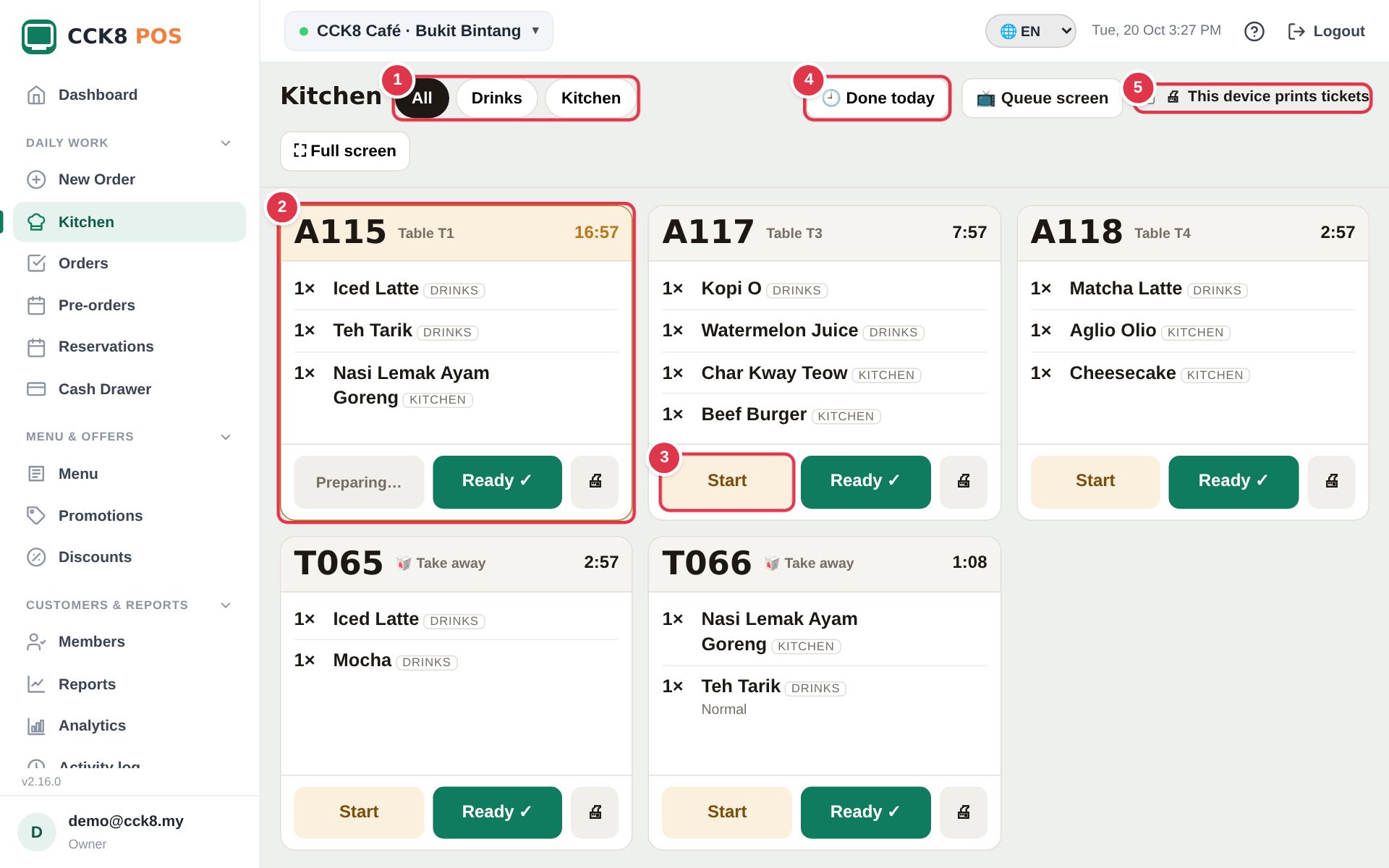
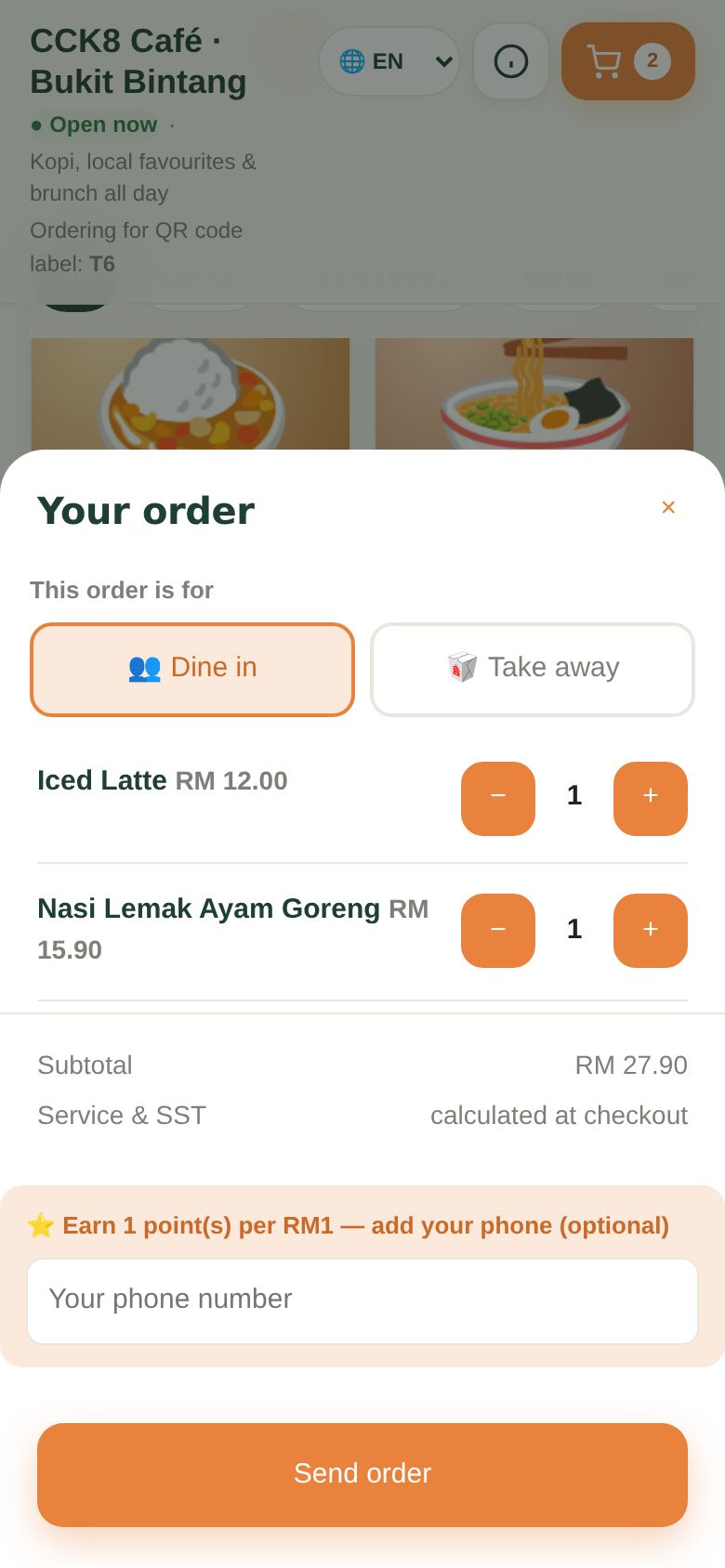
Watch one order, from table to bill
What happens in your shop: the customer orders on their phone, the kitchen cooks, you take payment.
1. The customer scans the QR code on the table. Your menu opens on their phone: no app to download.
2. They tap what they want and send the order. It pops up on your Dashboard straight away.
3. You confirm it. The ticket appears on the kitchen screen and the cook taps Start.
4. The cook taps Ready. The customer's phone rings, and their number shows on Now Serving.
5. Take payment by cash or QR. The receipt prints and today's sales go up.
Start selling in 3 steps
Get your licence
Email us and choose Basic or Premium. We'll send your licence key.
Create your account
Sign up with the key, add your menu (photos optional) and your tables.
Print the QR codes
Stick a QR on each table and start taking orders the same day.
Simple pricing
Pay per shop. No commission on your sales.
Basic
- Outlets1
- Staff logins3
- Counter POS, QR table ordering, receipts
- Kitchen screen & queue numbers
- GrabFood / foodpanda orders
- —Automatic promotions
- —Discounts & vouchers
- —Members & loyalty points
- —Reservations
- Cash drawer
- Analytics & accounting export
- —Telegram order alerts
- Screen lock with PIN
- Customer display
- Customer language switch
- —Customer page themes
- —Pre-orders with collection day & time
- —Online payment (FPX, cards, e-wallets)
- —Activity log
Premium
- OutletsUnlimited
- Staff loginsUnlimited
- Counter POS, QR table ordering, receipts
- Kitchen screen & queue numbers
- GrabFood / foodpanda orders
- Automatic promotions
- Discounts & vouchers
- Members & loyalty points
- Reservations
- Cash drawer
- Analytics & accounting export
- Telegram order alerts
- Screen lock with PIN
- Customer display
- Customer language switch
- Customer page themes
- Pre-orders with collection day & time
- Online payment (FPX, cards, e-wallets)
- Activity log
Questions owners ask
What hardware do I need?
Any phone, tablet or computer with a browser. A thermal receipt printer is optional; it prints through the device like any printer.
Do my customers need to download an app?
No. They scan the table QR with the phone camera and the menu opens in the browser.
Can I use it in Chinese or Malay?
Yes. Staff and customers can each switch between English, 中文 and Bahasa Melayu. Your menu names stay as you typed them.
Does it handle SST, service charge and rounding?
Yes. Set SST and service charge in Settings; cash bills round to 5 sen automatically.
How do customers pay?
Cash, your DuitNow / bank QR, or online (FPX, cards, e-wallets) through a licensed payment gateway with your own account (Premium).
What if the internet goes down?
CCK8 POS is cloud based, so it needs internet. A phone hotspot keeps you selling; all data is kept safely online.
Is my data safe?
Traffic is encrypted, passwords are hashed and each shop only sees its own data. See our privacy policy.
Ready to make your counter faster?
Tell us about your shop and we'll help you get set up.
Talk to us → [email protected]